Buying Used Vending Equipment? Check This Before It's On Route
Aug 19, 2026
A used vending machine can look completely fine in a seller's warehouse. Coils spin, the display lights up, the door latches shut with a solid sound. None of that tells you how secure the cabinet actually is. A used vending machine carries somebody else's history the second you sign for it. That history is exactly what a five-minute walkthrough can't show you. Here's the checklist we'd actually run before a used unit goes anywhere near a live route.
TL;DR: Security Checklist for a Used Vending Machine
- Door and lock condition: Check for pry marks, a bent frame, or a lock that's been drilled and replaced.
- Existing wiring or sensors: Confirm what's actually inside the cabinet before assuming any of it works.
- Cash box and validator area: This is where forced-entry damage concentrates, so check it closely.
- Seller history: Ask directly about prior incidents, false alarms, and why the machine is actually being sold.
- Route readiness: A passed checklist tells you the machine's current condition, not what protects it once it's deployed.
Why a Used Vending Machine Is a Security Unknown
Buying used is a normal part of running a route. It's how a lot of operators expand without paying new-unit prices for every stop. But whoever owned that machine before you ran it somewhere else. A different set of locations. A different mix of foot traffic. A different level of attention. You don't get access to any of that.
The problem isn't whether the machine works.
It's whether you actually know what's protecting it.
Those are two completely different questions. A working coin mechanism answers exactly none of the second one.
What "Looks Fine" Doesn't Tell You
Cosmetic condition and security condition aren't the same thing. A machine can be scratched and dented from years on the route and still be tight on every seam. A unit can look freshly painted and hide a door that was pried once and bent back into place. Good enough to fool a walkthrough, at least. Which locations get targeted has more to do with cash density and foot traffic than how new a cabinet looks. A used unit pulled from a high-turnover spot can carry stress on the door and lock that a low-traffic location never would.
Every Machine Comes With Somebody Else's History
The machine has a route history you don't have access to. It may have absorbed a break-in attempt. It may have been serviced by a technician who didn't reassemble it quite right. It may have sat in storage for months with nobody checking on it. None of that shows up on a walkthrough. Knowing the signs your protection needs upgrading applies just as much to a cabinet you're inheriting as one you've run yourself for three years. Maybe more. You don't have your own history with it to fall back on.
The Pre-Purchase Security Checklist
This is the actual walkthrough. Item by item, the parts worth checking with your own hands before money changes hands.
Check the Door and Lock Condition
Look closely at the door edge, especially near the lock housing. You're checking for pry marks or metal that's been bent and pushed back into shape. Mismatched hardware or fresh drill marks around the lock usually mean it's been replaced at some point. That's not automatically a problem, but it's worth asking the seller about directly.
A replaced lock isn't automatically bad.
It's a question you need answered, not assumed.
Check hinge alignment too. A door that doesn't sit flush against the frame was probably forced open hard enough to shift it at some point, even if it got bent mostly back into shape afterward.
Check for Existing Wiring or Sensors
Open the cabinet and look at what's actually run inside before you touch anything. Some used machines carry old alarm wiring or dead sensors. Some carry leftover wiring from a system that was removed years ago and never fully pulled out. None of it should be treated as functional just because it's physically present. Understanding how tamper switch wiring works before you start moving anything matters here. It's the difference between reusing something usable and building a new system around parts that were never going to hold up anyway.
Check the Cash Box and Validator Area
This is where forced entry actually concentrates. If the machine was ever broken into, this area took the damage. Cracked housing near the validator. Scratched or bent metal around the cash box. A bill stacker that doesn't sit quite right anymore. Cash box security usually comes down to this one area specifically. It's the part of the cabinet closest to the outside, and the part that takes the brunt of anything forced.
Ask the Seller the Right Questions
Not everything worth knowing is visible. Ask directly whether the machine has ever tripped a false alarm. Ask if it's ever been broken into. Ask if a security system was ever pulled out before the sale. Ask why it's being sold in the first place, too. A seller upgrading their whole route is a different situation than a seller who wants this one specific unit gone. If the machine had an alarm system installed at some point, ask what happened to it. A unit retired for stopping false alarm triggers tells you something different than one that was simply phased out for an actual security problem.
Getting the Machine Route-Ready
Passing this checklist doesn't mean the machine is protected. It means you know what you're starting with, and those are different outcomes. Only one of them is something an alarm can actually fix. The thing is, most operators run the checklist and stop there. A clean inspection starts to feel like the end of the job instead of the starting point for the next one.
Why the Checklist Isn't the Whole Job
A used machine might come from a completely different manufacturer than the rest of your route. That matters more than it sounds like it should. Cabinet layout differences between manufacturers are exactly why a used machine that checks out fine on paper can still need a different mounting approach than the rest of your fleet. That's not a reason to skip the checklist. It's a reason not to treat the checklist as the finish line.
What the CG-1000 Does Differently
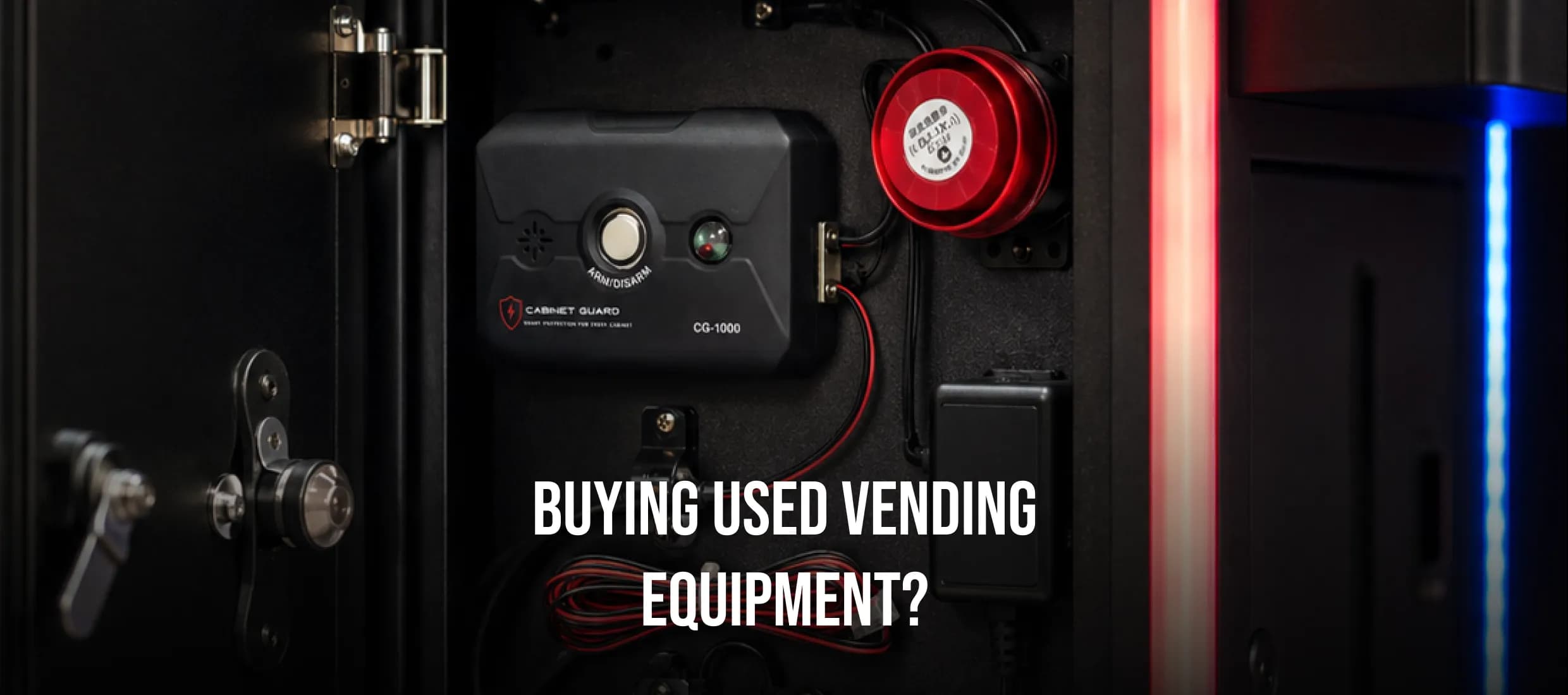
Once you know what's actually installed, or not installed, on the used machine, the fix itself makes sense pretty quickly. We wire a door-contact circuit through SW-IN / SW-OUT. The alarm fires the moment the door opens without authorization, no matter what happened to the cabinet before you owned it.
If the used machine already has old alarm wiring that doesn't hold up, that's not a dead end. Spring-cage terminals are designed to simplify installation and reduce unnecessary wiring complexity. That matters more on a used cabinet than a new one. A technician is usually working around whatever's already routed through there instead of starting clean.
The unit runs on 12–24V AC/DC, so power compatibility isn't a guessing game from machine to machine. If cabinet power is interrupted, internal backup power keeps the alarm system armed so unauthorized cabinet access can still trigger the alarm. One CG-1000 covers one cabinet.
The technician or collector carries the keyfob to put the unit into service mode for the duration of a scheduled stop. Without it, the door contact treats the opening as unauthorized. A used machine gets the same coverage as everything else on the route this way, not a lesser version of it.
If you're not sure whether a specific used machine retrofits cleanly, that's worth reaching out with installation questions before you commit to buying it. We'll walk through what installation actually looks like for that specific unit.